

Hey Friends 👋 Happy Tuesday
Here's your weekly dose of AI ways of working.
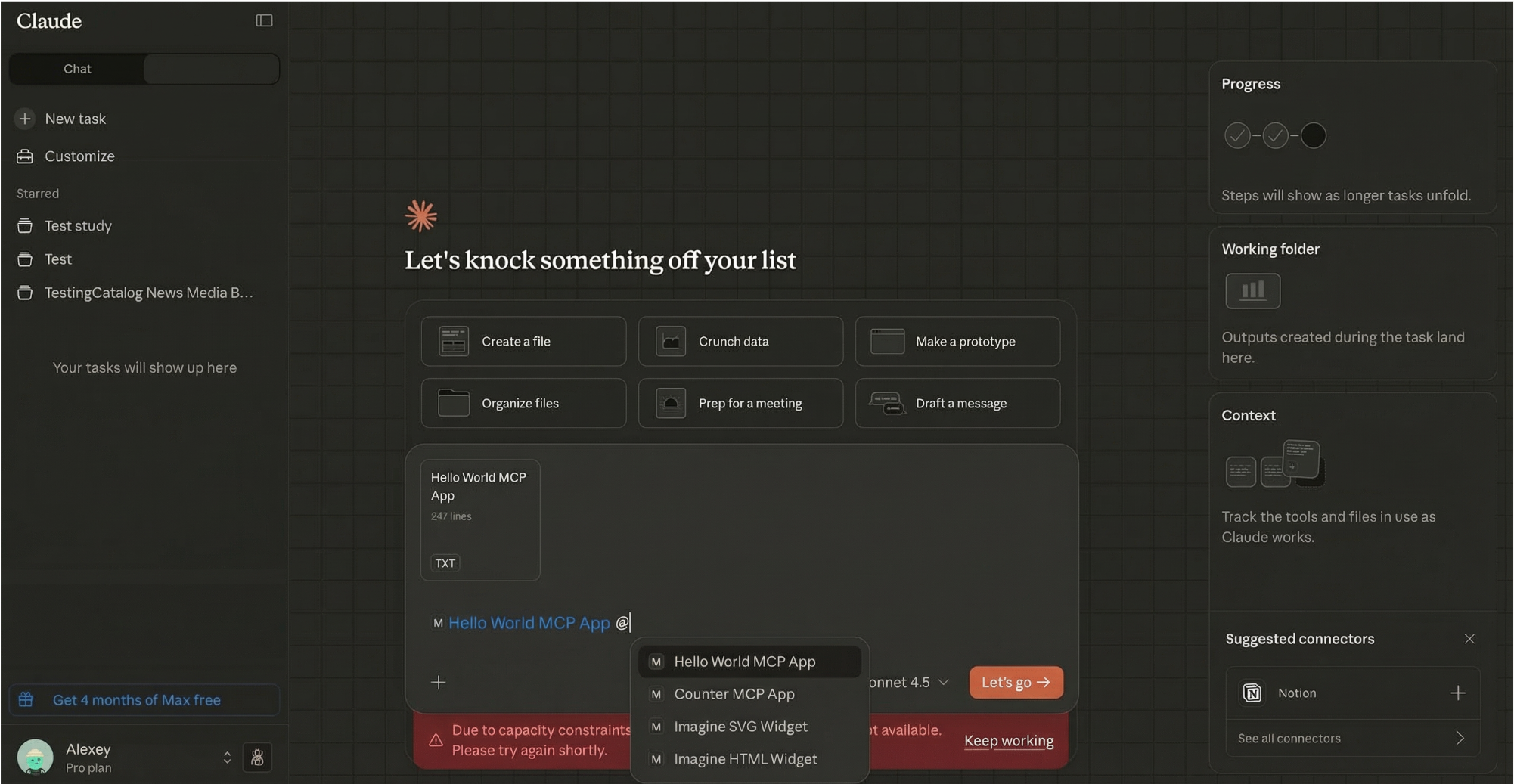
Anthropic just solved the context-switching problem. For months, operators told me that Model Context Protocol (MCP) was too technical. Anthropic listened. Now, you can see and interact with your favourite tools directly within Claude. This isn’t about automating workflows; it’s about bringing all your business tools into one workspace where context never gets lost.
Why This Changes Everything for Operators
If you’ve ever felt the frustration of copying and pasting information between different applications, you’ll understand the power of this update. The constant context-switching between tools doesn’t just waste time; it fragments your thinking and breaks your workflow. Every time you jump from your project management tool to Slack, then to your analytics dashboard, you’re losing the thread of what you’re trying to accomplish.
Other AI tools connect to your software and execute commands blindly. They don’t understand the relationships between your tasks, your team’s conversations, and your business metrics. Claude now works like a colleague who understands your entire workflow. Context flows seamlessly between your tools, creating a single, unified workspace where everything connects.
This is a massive productivity booster. The barrier to entry isn’t technical skill anymore, but whether you understand the context of your own workflows. If you know how your work actually flows, what information feeds into what decisions, which tasks depend on which conversations, you’re already ahead.
What’s New: Interactive Tools That Actually Make Sense
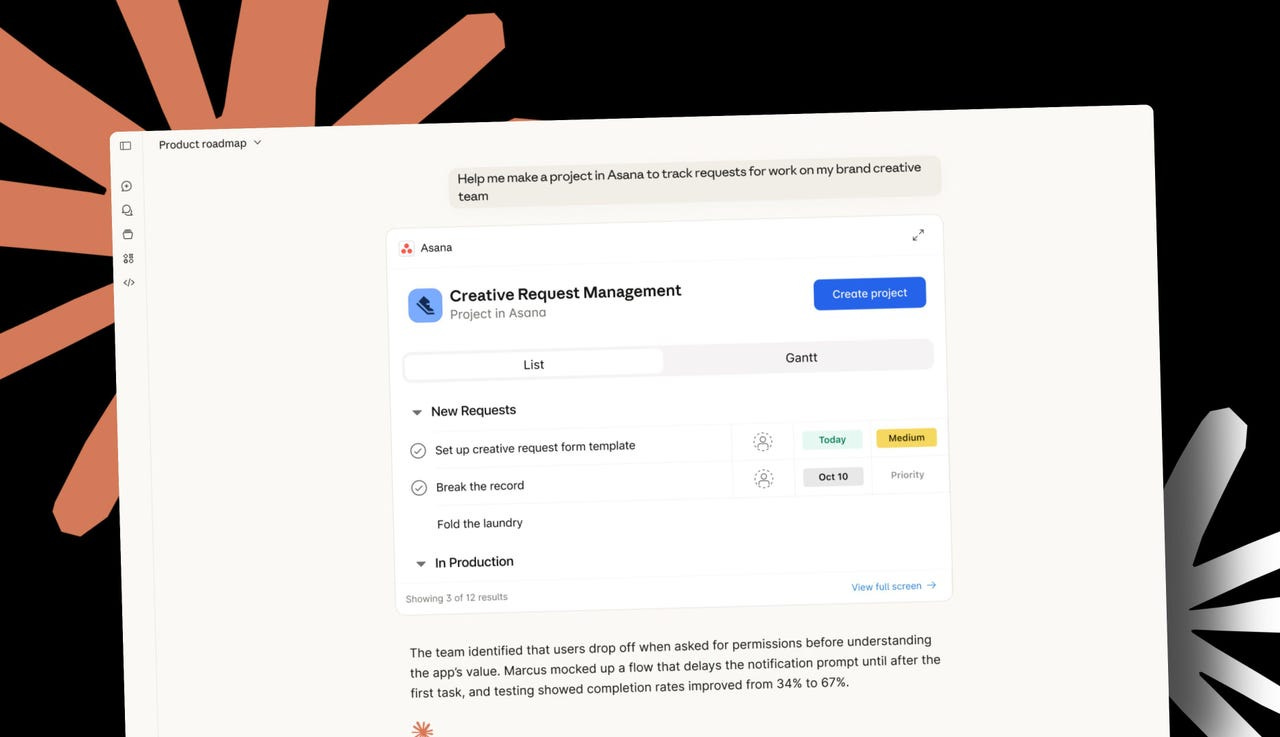
Claude’s latest update introduces interactive tools through MCP Apps. This means you can now work with apps like Asana, Figma, and Slack without ever leaving the Claude interface. Instead of just getting text-based responses that you then have to manually input into your tools, you now get rich, interactive interfaces from your tools themselves.
Imagine building a flowchart in Figma based on a conversation with Claude, and then being able to edit that flowchart right there in your conversation. Or pulling real-time analytics from Amplitude and adjusting the parameters to explore different trends, all without opening a new tab. The work happens where the context lives.
From my own testing, Claude’s ability to retain context from conversations is a significant advantage over competitors like ChatGPT. This new update supercharges that capability. When Claude can see what you’re doing in Asana, pull data from Amplitude, and draft messages in Slack; all whilst maintaining the full context of your conversation—it becomes something fundamentally different from a chatbot. It becomes your operating environment.
Real Use Cases That Save Hours Every Week
The difference between a feature announcement and a productivity breakthrough is whether you can actually use it. Here’s how these interactive tools translate into real time savings for operators.
Project Management That Flows From Conversation. You’re discussing a new initiative with Claude, brainstorming the key milestones and dependencies. Instead of taking notes and then manually creating a project in Asana, you ask Claude to create that project structure. It appears as an interactive Asana interface right in your conversation. You can see the tasks, adjust deadlines, and assign team members without leaving Claude. What used to take 30 minutes of administrative work now happens in real-time as part of your strategic thinking.
Data Analysis Without the Context Switch. You need to understand user behaviour trends for the past quarter. You ask Claude to pull data from Amplitude, and instead of getting a text summary, you get an interactive dashboard. You can drill down into specific cohorts, adjust date ranges, and filter by different parameters, all whilst discussing the implications with Claude. The analysis and the insight generation happen in the same space, not across multiple tools and browser tabs.
Content Creation With Real-Time Refinement. You’re preparing a client presentation. You outline the key points with Claude, then ask it to create a branded deck using the Canva integration. The Canva interface appears in your conversation. As you review it, you can make design changes in real-time, adjusting colours, layouts, and graphics without leaving the conversation. The back-and-forth between content strategy and visual execution collapses into a single workflow.
Sales Outreach That Actually Scales. You’re building a list of potential partners. Using the Clay integration, you ask Claude to research companies and find contact information. The Clay interface appears with email addresses, phone numbers, company size, and funding data. You can then ask Claude to draft personalised outreach emails based on that data. All of this happens in a single conversation thread, with full context maintained throughout. What used to be a multi-tool, multi-hour process becomes a streamlined workflow.
What You’ve Actually Built
By connecting your tools to Claude, you’re not automating tasks that run on their own. You’re building an intelligent workspace where you can interact with all your business tools without losing context. You’re creating a system where context is never lost, and where you can move seamlessly between different applications without ever losing your flow.
The old way involved manually switching between multiple tabs and applications. You’d copy information from your project management tool, paste it into a Slack message, then jump to your analytics dashboard to pull a metric, copy that number, and paste it back into your status report. Every transition was an opportunity for error and a guaranteed loss of context. The workflow was fragmented, inefficient, and exhausting.
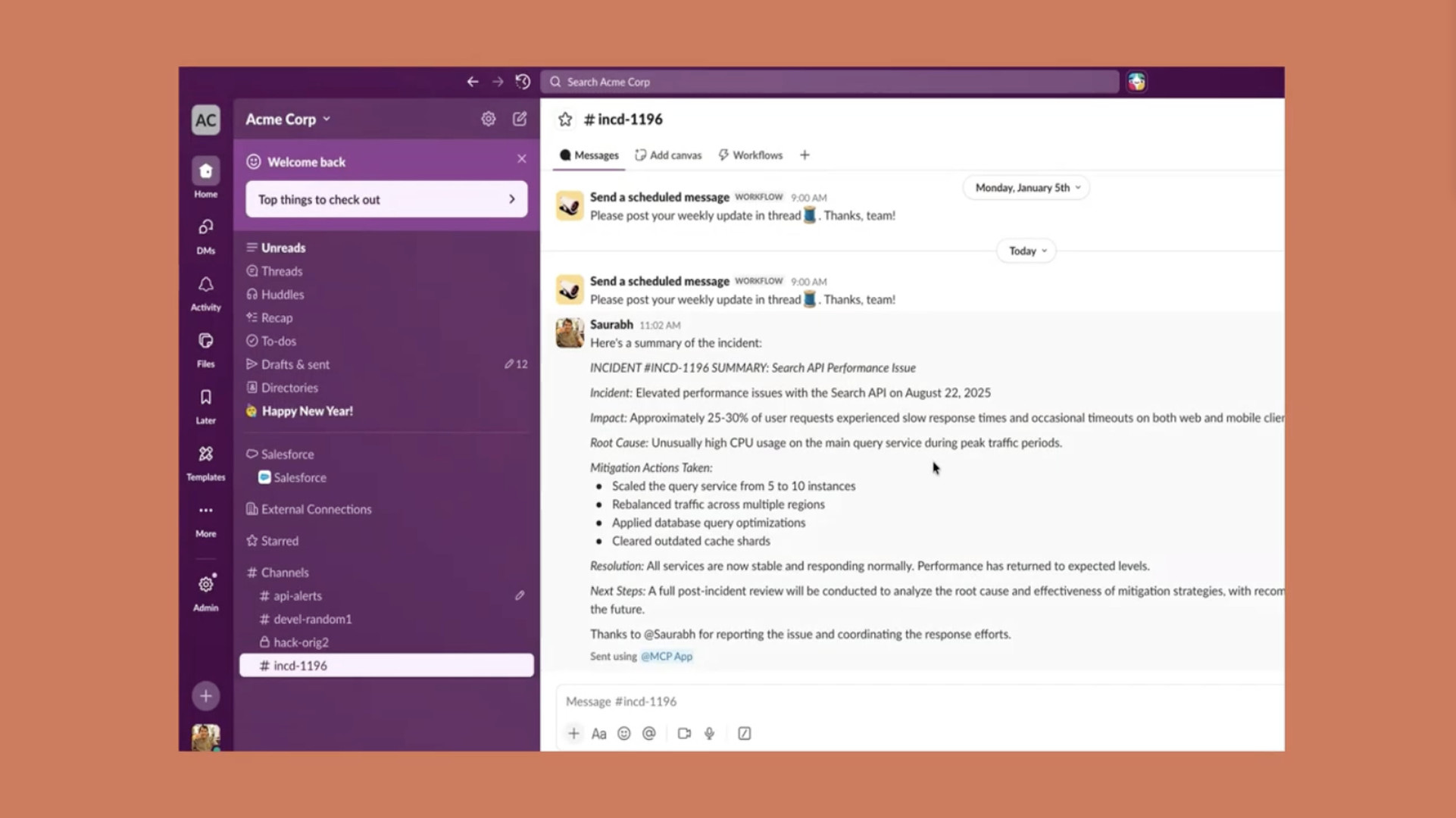
The new way gives you a single, unified workspace for all your tools. Context flows automatically between applications. When you’re discussing project status with Claude and it pulls data from Asana, analyses trends from Amplitude, and drafts a Slack update, everything stays connected. The context that lives in your head, the understanding of how these pieces fit together, is now reflected in how your tools work together.
Context Matters More Than You Think
Here’s the insight that most people miss about AI tools: the technology isn’t the bottleneck anymore. The bottleneck is context. ChatGPT might be powerful, but if you’re copying and pasting information into it, you’re manually managing the context. You’re the integration layer between your tools and your AI.
Claude’s approach is different. By bringing interactive tools directly into the conversation, Claude becomes the integration layer. It maintains the context across your entire workflow. It sees what you’re doing in Asana, understands the data from Amplitude, and knows what you’ve discussed in Slack. That continuous context is what transforms it from a helpful assistant into an operating environment.
This is why operators who understand their workflows, who know what context matters and how information flows through their business, are about to pull ahead. You don’t need to be a developer. You need to understand the playbook, the process, the context. That’s the skill that matters now.
What You Can Actually Do Next
Once you’ve connected your core tools, you can start building more sophisticated prompts. The key is understanding that you’re still driving the actions by asking Claude, but now you can do it all in one conversation without switching tabs.
Ask Claude to pull your latest Asana updates, check your key Amplitude metrics, and draft a formatted Slack summary for your team. All three tools will appear as interactive interfaces in your conversation. You can review the data, make adjustments, and send the message without ever leaving Claude. The tools are connected. The question is whether you understand your workflows well enough to know what to ask for.
Build a habit of using Claude as your command centre. Instead of opening five different tabs to check on project status, team communications, and business metrics, ask Claude to bring them all into one conversation. The more you use it this way, the more you’ll see where context was getting lost in your old workflow.
Get Started
Welcome to the new paradigm. AI Ops isn’t about replacing what you do, it’s about amplifying what you already know. Your context management skills, your process knowledge, your understanding of how work actually flows, these are the foundations that matter now.
Join a growing community of Project Managers, Operators, and Founders who are building the future of work. Selective insights and tutorials on AI Ops, delivered to operators who understand that context beats code.